
How To Check Spectra Hours
Do you own a Spectra breast pump? Curious about the total hours you’ve used your Spectra S1 or S2 Breast Pump? Then check out this Spectra hours hack on how to check hours on Spectra S1 & S2!
- Prefer to watch your how to pump videos? There’s a video right below. Then, you can skim the written tutorial for more details.
- Prefer to read your how to pump guides? Scroll past the video, and you’ll find my written tutorial.
How Many Hours Do Spectra Pumps Last?
The longevity of Spectra pumps can vary depending on factors such as usage frequency, maintenance, and care. That said, Spectra pumps have a motor life of 1500 hours.
This is not to say your Spectra motor will stop working after 1500 hours, but it may not work as efficiently.
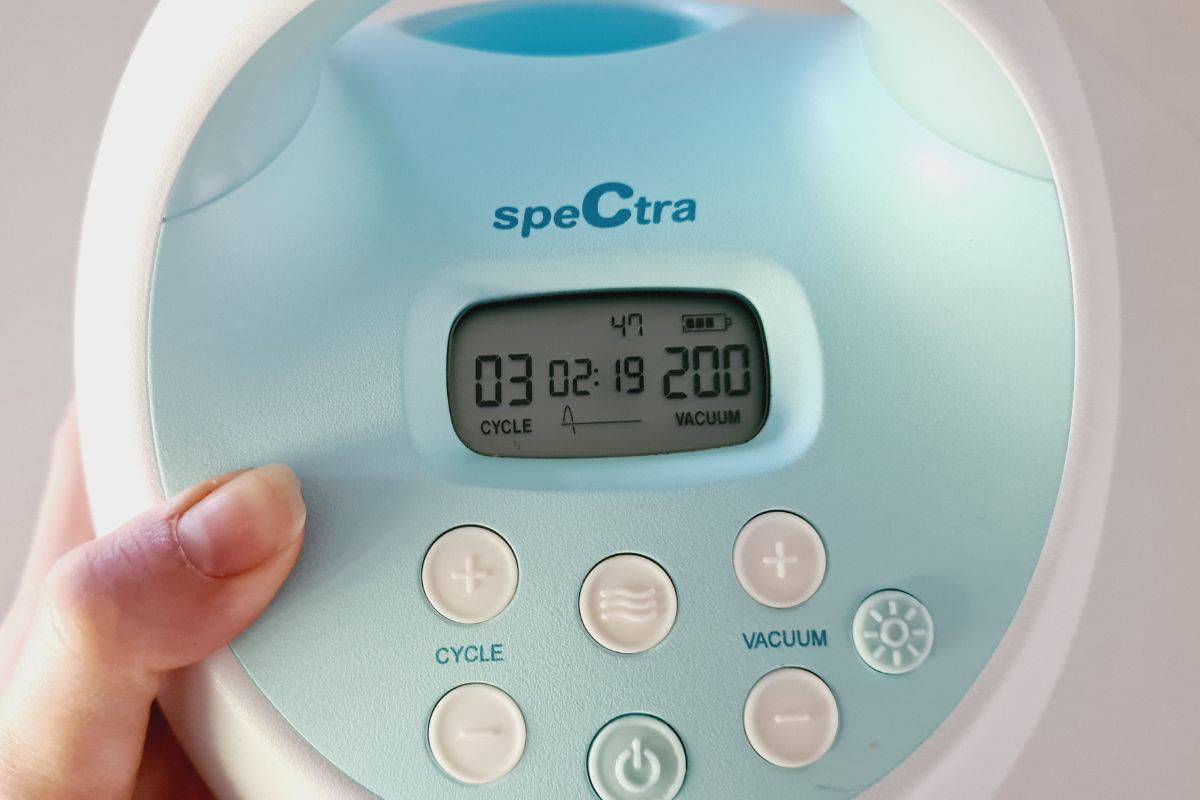
Photo credit: Pumping Milk
Why Check Your Spectra Pump Hours?
With a pump motor life of 1500 hours, it can be valuable to know your Spectra pump usage hours.
Knowing your pump hours can help you make informed decisions, especially if you are looking to buy or sell your Spectra S1 or Spectra S2 pump.
It can also help with your pump maintenance. Regularly monitoring the usage hours of your Spectra pump helps you keep track of when it might need maintenance or replacement parts. Like any mechanical device, breast pumps can experience wear and tear over time, and knowing how many hours it has been used can give you an indication of when certain parts might need attention.
And if you start to lose performance, it can be a great option to know how to check your Spectra pump hours to see if you’ve exceeded your pump motor life and might need to buy a new pump.
Sometimes it is also just great to be able to look back on your pumping journey! It can be really empowering to know that you’ve been pumping for x number of hours.
How To Check Spectra Hours
To check the number of hours on your Spectra S1 and Spectra S2 breast pumps, go to your control panel on the follow these steps:
Step 1 – Press the ‘Power On’ button
Step 2 – Press the ‘Massage’ button
Step 3 – Press the ‘Cycle +’ button
Step 4 – Press the ‘ Vacuum –’ button
Step 5 – Press the ‘ Cycle –’ button
Step 6 – Press the ‘ Vacuum +’ button
Step 7 – Press the ‘Massage’ button
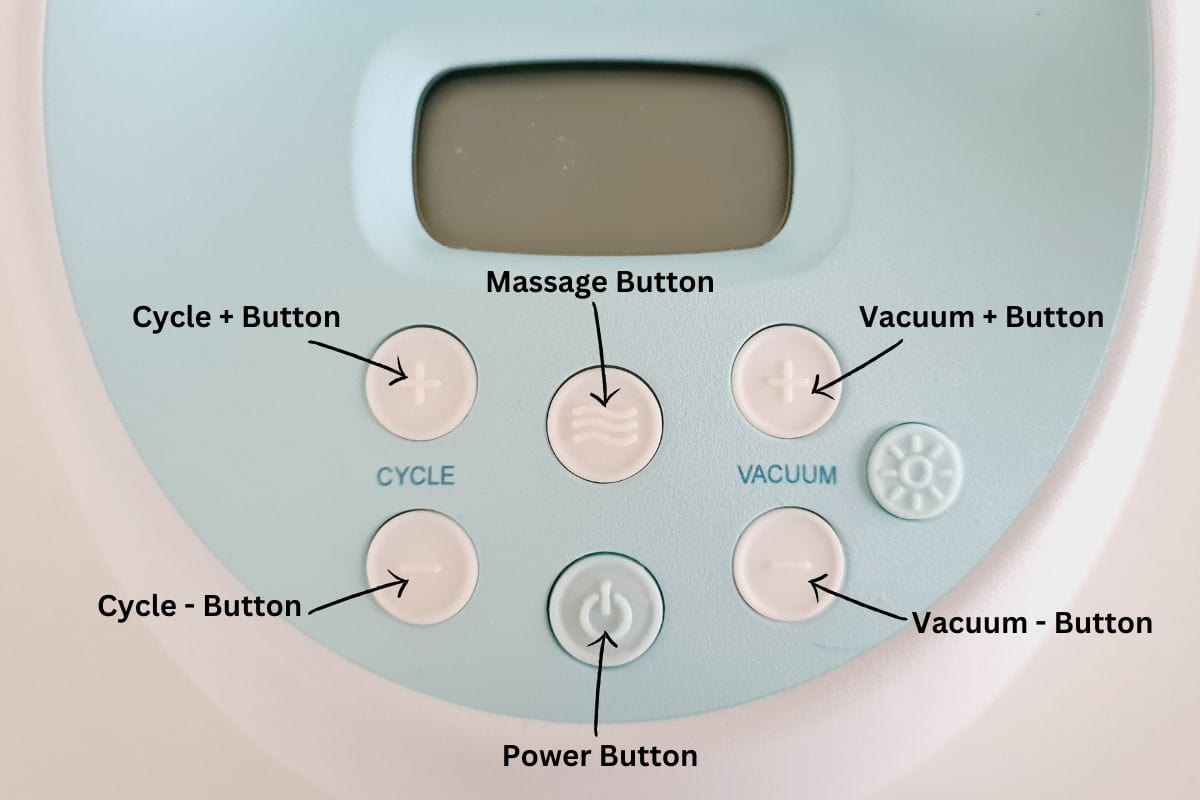
Photo credit: Pumping Milk
How To Read the Results
After you have followed the above sequence, you will notice that the numbers on your screen have changed. The ones you want to focus on are the middle numbers that are in the same position as your timer. This is the display for how many Spectra pump hours you pump has been running for.
In the case of the example below, this will be interpreted as 219 hours.

Photo credit: Pumping Milk
Additional Tips for Using a Spectra Pump
If you’re looking for more insights and strategies for using a Spectra pump, make sure to check out my guides on how to use Spectra S1 and bottles compatible with Spectra to help you enhance your experience.
My below video on how to clean a Spectra pump is also really helpful!


